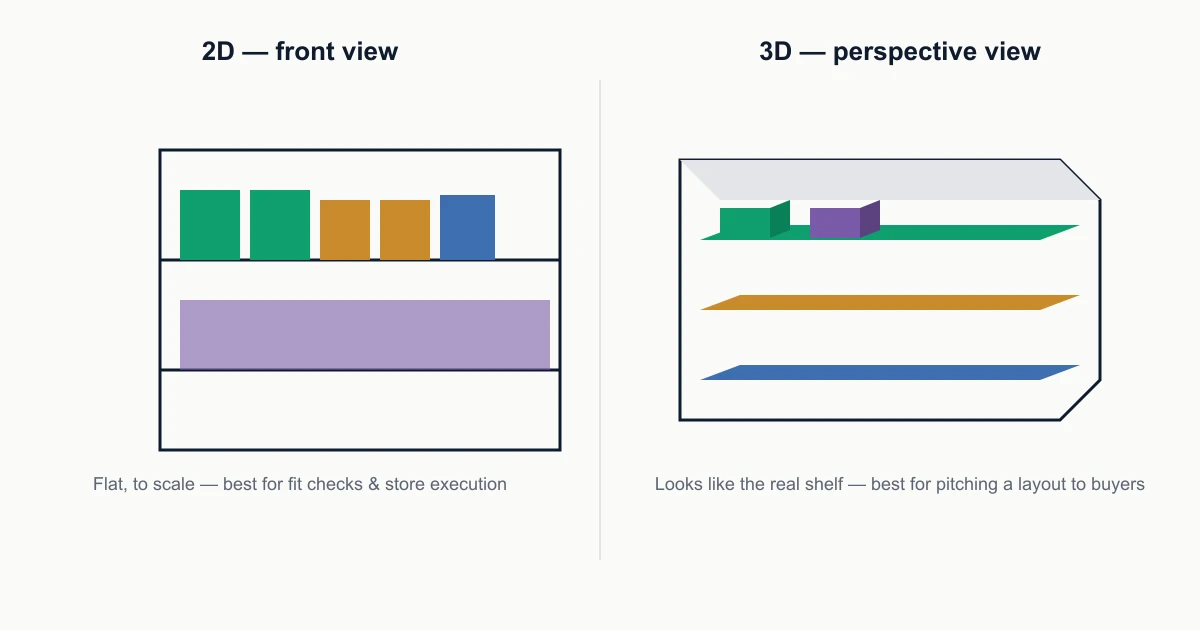
2D vs 3D planograms is a choice of view, not of plan. A 2D planogram shows the fixture from the front, flat and to scale, which makes it the best format for checking fit and for store teams building the shelf. A 3D planogram renders the fixture with depth and perspective, which helps buyers and executives picture the result and approve it. Most teams use both views of the same plan.
The mistake is treating 3D as an upgrade. For store execution it is usually harder to read, not easier.
2D vs 3D planograms compared
| 2D planogram | 3D planogram | |
|---|---|---|
| View | Flat front view, to scale | Perspective view with depth |
| Best for | Planning, fit checks, store execution | Presentations, approvals, concept work |
| Shows clearly | Positions, facings, shelf heights, codes | Overall look, colour blocking, adjacency |
| Harder to show | How the aisle feels to a shopper | Exact counts and codes |
| Printing | Simple, works in black and white | Needs colour and large format |
| Data needed | Width and height per product | Width, height, depth and good images |
Where 2D wins
- Store resets. Staff need counts, codes and positions, not perspective.
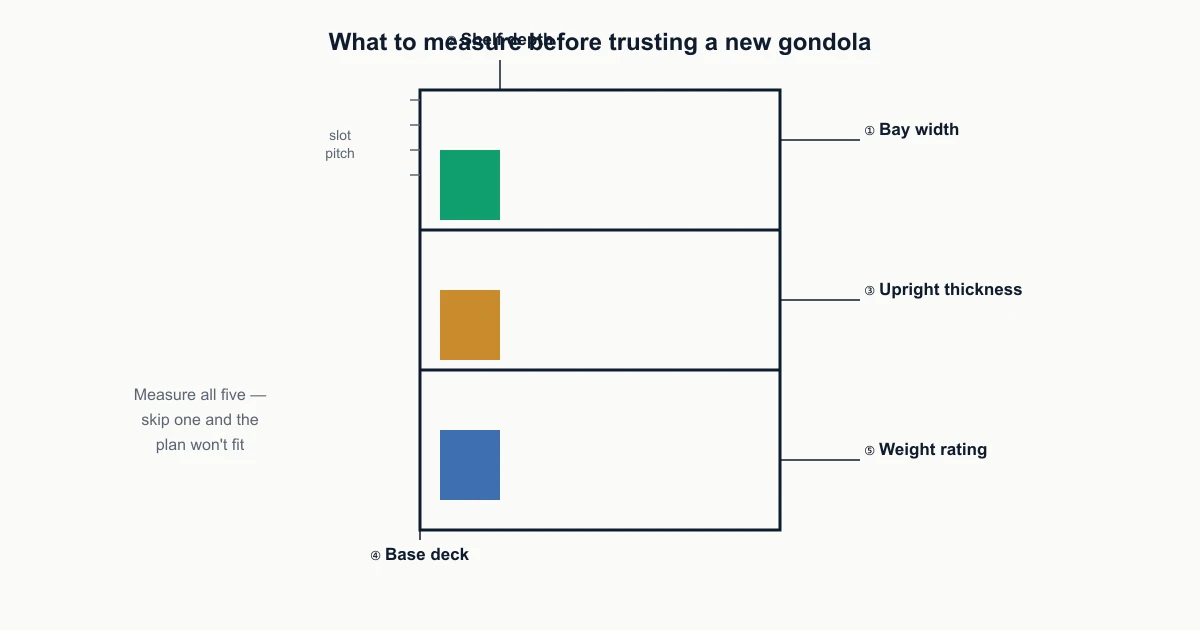
- Fit checks. Width, height and clearance are easy to verify on a flat, to-scale view.
- Change lists. Comparing two versions is straightforward when both are flat.
- Speed. 2D plans are faster to produce and update.
Our guide on how to read a planogram assumes a 2D front view for exactly these reasons.
Where 3D helps
- Selling the concept. A supplier pitching a new layout or branded cooler to a buyer gets a clearer reaction with a realistic view.
- Checking the block effect. Colour blocking and the "billboard" look of a brand are easier to judge in 3D.
- Aisle-level views. Seeing several fixtures together shows how category flow and end caps work as a whole.
- Depth problems. Products hidden behind others, deep packs on shallow shelves and overhangs show up clearly.
What 3D needs to look right
A 3D view is only as good as its product data. It needs accurate depth as well as width and height, and decent product images for the front (and ideally sides). Products measured from the wrong face, a common error that the GS1 measurement standard addresses, look wrong immediately in 3D.
One plan, two views
The safest setup is a single planogram from which both views are generated. Then the 3D presentation and the 2D store plan can never disagree. If they are built separately, the store eventually builds something the buyer never approved. See planogram version control for keeping one source of truth.
Use 2D to build, 3D to persuade
In the 2D vs 3D planograms question, each view has its job: 2D for planning and execution, 3D for persuasion and checking the overall look. Build one accurate plan, generate both views from it, and give each audience the view it can act on. Wikipedia's planogram entry shows both kinds of illustrations.
FAQ
What is a 3D planogram?
A rendered, perspective view of a planogram that shows products with depth, as they would look on the real fixture.
Are 3D planograms better than 2D?
Not overall. 3D is better for presentations and judging the look; 2D is better for fit checks and store execution.
Do store teams need 3D planograms?
Usually not. A clear 2D front view with codes and facings is faster and less error-prone on the shop floor.
What data does a 3D planogram need?
Accurate width, height and depth for every product, plus good product images, as well as the fixture's exact dimensions.