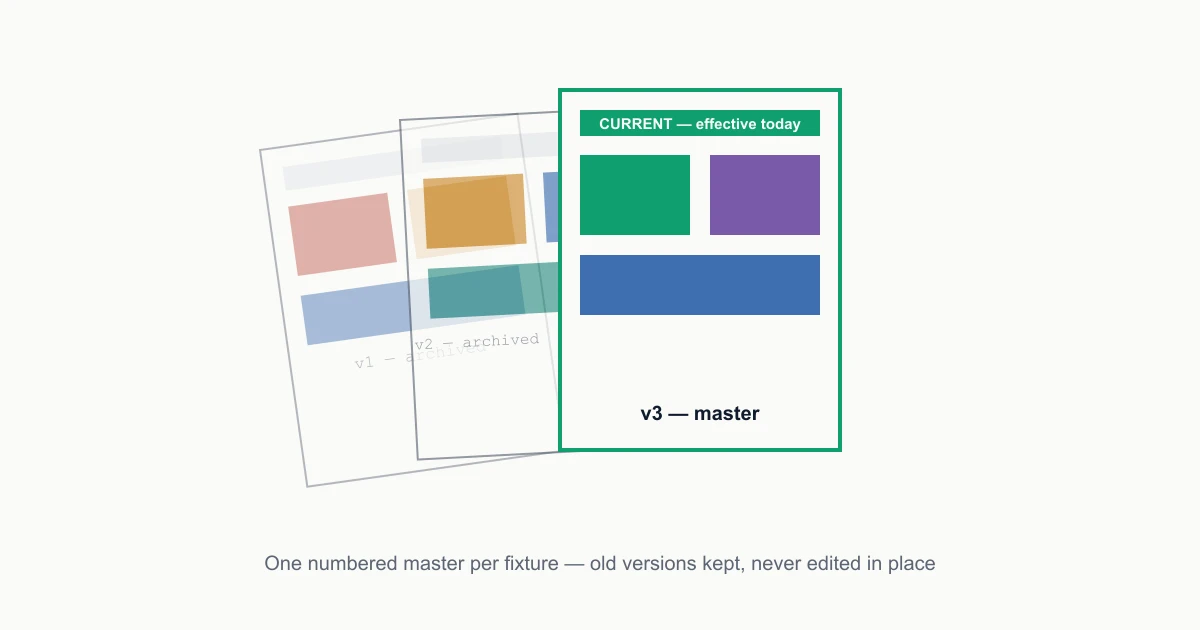
Planogram version control means every plan has one master file, a version number and an effective date, every change creates a new version with a change list, and old versions are retired so stores can only build the current one. It sounds administrative, but wrong versions are one of the most common reasons a correct planogram never reaches the shelf.
The problem grows quickly: categories × store clusters × updates per year can produce hundreds of files.
Rules that keep every store on the right plan
- One master per category and cluster. Every view (2D store plan, 3D presentation, product list) is generated from it.
- Number every version. v1, v2, v3; never "final", "final2", "new".
- Date every page. Effective date, and an end date for seasonal or promotional plans.
- Ship a change list. What was added, removed, moved or re-faced since the last version.
- Retire the old one. Tell stores which version is replaced and archive it centrally.
Planogram version control starts with file names
Use the same pattern for every file, for example:
CATEGORY_CLUSTER_FIXTURE_vNN_YYYY-MM-DD
SoftDrinks_Large_6x120_v07_2026-11-03
The name tells anyone the category, which stores, which fixture size, which version and when it applies, and files sort correctly in any folder.
When does a change need a new version?
| Change | New version? |
|---|---|
| Product added, removed or moved | Yes |
| Facings or shelf heights changed | Yes |
| Price-label position or notes changed | Yes, minor version |
| Typo in a product name with no layout change | Optional, but record it |
If stores would build anything differently, it is a new version.
Keep the views in sync
The classic version error: the 3D presentation shows v6, the store pack shows v5. Generating every view from the same master prevents it; see 2D vs 3D planograms. The same applies to supplier copies: when a supplier proposes changes, they should be applied to the master and reissued, not edited in the supplier's own file.
Archive, don't delete
Keep old versions, with their approval record, centrally. They help when:
- comparing sales before and after a change against your planogram objectives
- answering "what was on shelf in March?"
- restoring a plan that worked better
Stores, on the other hand, should keep only the current version. Old printouts in a store are the most common source of wrong layouts.
Tie versions to approvals and stores
Each version should record who approved it (planogram approval process) and which stores received it. That list makes compliance audits meaningful: you compare the shelf with the version the store actually got.
Number it, date it, retire the old one
Planogram version control is a small discipline with a large effect: one master, numbered and dated versions, change lists and retired old files mean every store builds the plan you approved. Wikipedia's planogram entry and the category management article give context on why plans change so often.
FAQ
Why is version control important for planograms?
Because plans change often and exist in many store versions. Without control, stores build outdated or wrong plans.
How should planogram files be named?
With a consistent pattern including category, store cluster, fixture size, version number and effective date.
What is a planogram change list?
A short summary of what changed since the previous version: products added, removed or moved and facings changed.
Should stores keep old planograms?
No. Stores should keep only the current version; old versions belong in a central archive.