How to remove delisted products from a planogram: confirm the exit date and what happens to remaining stock, decide which products get the freed space (usually the items that run out most often, or new launches), re-flow the shelf so blocks stay intact and no gaps are left, check fit and capacity, then issue a new version with a clear change list. Removing an item is easy; using its space well is the real work.
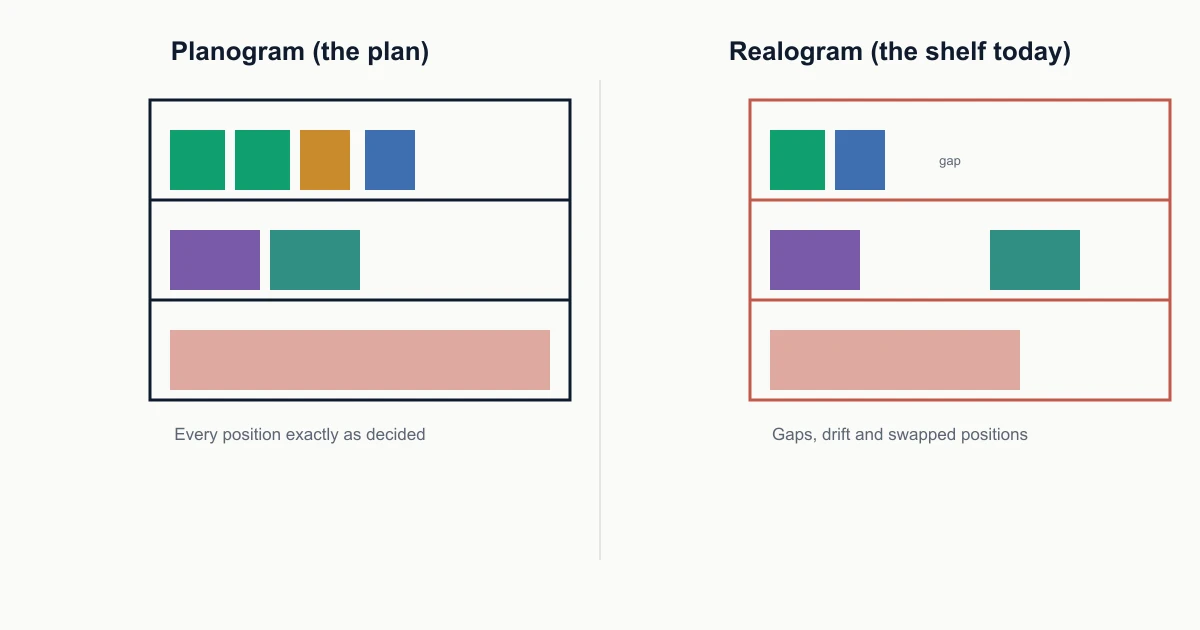
A delisted product left on the plan, or removed without re-flowing the space, produces one of two problems: a permanent gap or stores filling the hole with whatever is nearby.
Remove delisted products from a planogram only after confirming the exit
Get three facts from the category manager or buyer:
- exit date: when the product stops being ordered
- sell-down approach: sell through at normal price, mark down, return to supplier or move to clearance
- replacement: is a new product taking its place, or is the space being redistributed?
Edit the planogram to match the date the shelf will actually change, not the date ordering stops. There is usually stock to sell for a few weeks.
Decide who gets the freed space
In order of preference:
- A direct replacement, such as a new pack size or reformulation. It takes the same position. See how to update a planogram for new products.
- Products that run out. Items whose capacity is below a case pack plus sales between refills gain facings.
- Segment growth. If a segment is growing, widen it.
- Range simplification. If several items left, the shelf may simply carry fewer, deeper facings, which helps availability. Our product facings guide explains how to size them.
Avoid giving freed space to slow sellers just because they are next door.
Re-flow without breaking blocks
When you redistribute space:
- keep brand and segment blocks continuous, closing the gap inside the block first
- keep size order and flavour order unchanged
- check that moved products still fit their shelf height
- check the change across every store cluster, as space freed in a 120 cm bay may behave differently in a 90 cm version
Plan the sell-down on the shelf
During sell-down, the old product may need its space for a few more weeks. Options:
- keep its position until stock runs out, then apply the new plan
- move remaining stock to a clearance area on the reset date
- reduce its facings gradually as stock falls
Write the chosen approach on the change list so stores do not keep discontinued items on a different shelf "for now".
Issue a clean version
New version number, effective date and a change list such as: "Remove Crunchies Paprika 150 g (shelf 3, pos 5). Crunchies Salted increases from 4 to 5 facings; Crunchies Cheese from 3 to 4." Stores apply it in minutes instead of guessing.
Freed space is an opportunity
Knowing how to remove delisted products from a planogram means treating every removal as a chance to fix availability or support growth: confirm the exit, choose deliberately who gains, re-flow inside the blocks and send a clear version to stores. Wikipedia's category management article explains the range reviews that trigger delistings, and the stockout article shows why giving space to items that run out pays off.
FAQ
What does delisted mean in retail?
A delisted product has been removed from a retailer's range and will no longer be ordered for stores.
What should stores do with delisted stock?
Follow the instruction issued with the planogram change: sell through, mark down, return to supplier or move to clearance.
Who gets the space from a delisted product?
Ideally a direct replacement or products that frequently run out, rather than whichever item happens to sit next to the gap.
Should a delisted item stay on the planogram during sell-down?
It can keep its position until stock runs out, but the planogram should state when and how its space changes.